
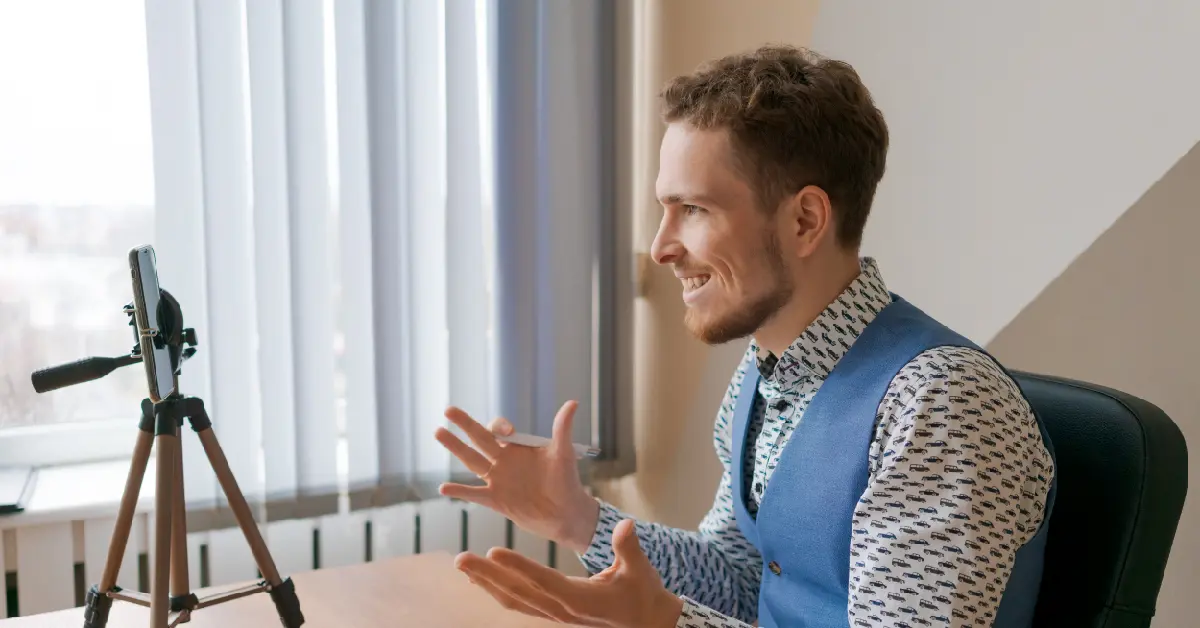
You can have the right résumé, the right experience and a strong answer for every question, and still stumble in the first minute of a video interview. Not because of what you said, but because the room was dark, the audio echoed or the camera caught you from below the chin.
That sounds harsh, but it is also good news. Almost everything that goes wrong on video is within your control, and most of it takes less than an hour to fix.
This guide walks you through the process the way a good coach would: your space, your tech, your presence on camera, your answers and your follow-up. Whether you are interviewing from Boston, Austin or Phoenix, the fundamentals are the same. Work through them once and you will walk into the call calm, prepared and easy to remember.
Pressed for time? Run through this before every call. Each item is explained in the sections that follow.
1. Pick a quiet room with a plain, tidy background
2. Face a window or a lamp so light hits your face, never your back
3. Raise your camera to eye level
4. Use headphones with a built-in microphone
5. Test the platform (Zoom, Teams or Google Meet) the day before
6. Plug into Ethernet or sit close to your router
7. Dress fully, head to toe, as you would on site
8. Look at the camera lens when you speak
9. Prepare 4 to 5 STAR stories with real numbers
10. Send a thank-you email within 24 hours
Think of your frame as a small stage. Whatever is visible says something about you before you speak, so it should be organized, prepared and easy to talk to. Fifteen minutes of setup removes the three biggest distractions at once.Many manufacturers have relied on traditional hiring methods for years but today’s industry demands a more strategic approach. As production requirements, skill requirements and new technology evolves, traditional methods of hiring struggle to adjust, rendering the achievement of a reliable workforce ever more difficult.
A plain wall or a tidy corner is ideal. Skip the laundry pile, the crowded bookshelf and anything you would rather not explain.
Virtual backgrounds are fine with one condition: they must hold steady. If the edge flickers around your hair when you move, turn it off and use a real wall instead.
Lighting is the cheapest upgrade you can make, and the rule is simple. The main source goes in front of you, never behind.
Interviewers will forgive a plain background far sooner than muffled, echoing sound. Give the call the quiet it deserves.
→ Tell the people you live with the exact interview time.
→ Close windows and doors to block traffic, mowers and barking.
→ Silence your phone and turn off desktop notifications.
→ Move pets to another room before you log in.
| Check | What to Do | Why It Matters |
|---|---|---|
| Platform | Install and update Zoom, Microsoft Teams or Google Meet. Join a test call. | Updates mid-call cost you minutes and calm. |
| Permissions | Allow camera and microphone access in your browser and operating system. | The most common cause of “I can’t hear you.” |
| Internet | Plug in with Ethernet if you can. Otherwise sit near the router. | A wired line is more stable than Wi-Fi. |
| Bandwidth | Run a speed test and close streaming, downloads and extra tabs. | Frees up bandwidth and memory. |
| Camera | Set it at eye level. Stack books under a laptop if needed. | A low camera angle looks unflattering and distant. |
| Microphone | Use wired or charged Bluetooth headphones with a mic. | Cuts room echo and fan noise. |
| Charge | Plug in your laptop. | A dying battery ends interviews. |
Technology fails even when you prepare. Keep your phone charged with the meeting link open, and save the recruiter’s phone number and email so you can reach them in seconds.
If your connection drops, rejoin right away and say, “Sorry about that, I’m back.” Interviewers have seen it all, and a calm recovery shows exactly the composure they want in a hire.
Recruitment cycles that are too long can slow down production and burden the existing teams. Since sourcing, screening and hiring can be a tricky process, manufacturing staffing agencies make the job easy. It allows them to speedily recruit for positions that are business critical without compromising on quality.
In person, your body language does a lot of the talking. On video, it has to work harder because the screen flattens everything. Four small habits close most of that gap.
When you speak, look at the camera. To the interviewer, that feels like genuine eye contact. When they speak, glance at the screen to read their reactions. A sticky note with an arrow beside the lens makes a handy reminder.
Sit upright with your head and shoulders centered and a hand’s width of space above your head. Showing your upper body keeps your gestures visible, and a slight lean forward signals interest. Avoid slouching back.
Nod and smile lightly while the interviewer talks. On video, these small signals replace the warmth of a shared room and tell them you are engaged.
Dress as you would for an on-site interview. Solid, mid-tone colors look best on camera, while busy patterns and bright white can look harsh. Dressing fully also shifts your mindset, and you will never be caught out if you have to stand up mid-call.
Video adds small audio delays and removes most physical cues, so structured answers matter more than they do in a room. Aim for 60 to 90 seconds per answer.
Master Pace And Pauses
Tell Stories With The STAR Method
Prepare four or five stories you can adapt to most behavioral questions. Shape each one with STAR:
See It In Action
Question: “Tell me about a time you handled a tight deadline.”
Answer: “Our team had to ship a client report in two days after a key analyst left (Situation). I was responsible for finishing the data section (Task). I split the work into three blocks, handed the formatting to a teammate and checked in twice a day (Action). We delivered on time, and the client renewed for another year (Result).”
Use Notes, Not A Script
Keep a few bullet points near your camera, never full sentences. Reading makes your eyes drift and your voice go flat. Good notes include your top three strengths, one question for the interviewer and the interviewer’s name.
| Mistake | What It Signals | Fix |
|---|---|---|
| Staring at your own video tile | You seem distracted or self-conscious | Hide self-view or keep your eyes on the lens |
| Joining at the exact start time | You look rushed | Log in 5 to 10 minutes early |
| Checking your phone or other tabs | You seem uninterested | Close everything except the meeting |
| Eating or drinking a lot | You look unprofessional | Keep a glass of water within reach |
| Interrupting after a delay | You seem impatient | Pause 1 to 2 seconds before answering |
| Sitting with a window or lamp behind you | You look tired or evasive | Put the light in front of you |
| Reading from a script | You sound robotic | Use short bullet notes only |
A simple schedule keeps nerves in check and stops the last-minute scramble.
The interview does not end when you click “Leave meeting.” A prompt, personal thank-you keeps you fresh in the interviewer’s mind while they compare candidates.
Send A Thank-You Within 24 Hours
Keep it to three short paragraphs: thank them, mention one specific moment from the conversation and restate your interest. Here is a template you can adapt:
Subject: Thank you, [Interviewer’s Name]
Hi [Name],
Thank you for taking the time to speak with me today about the [Job Title] role. I enjoyed learning more about [specific project or team goal].
Our conversation about [specific topic] reinforced my interest. My experience in [relevant skill or result] would help me [how you would contribute].
I’m excited about the opportunity and happy to share anything else you need. Thanks again.
Best regards,
[Your Name]
[Phone] | [LinkedIn URL]
While it is still fresh, spend ten minutes writing down what went well and what you would change. Ask yourself:
Did any answer need repeating because of audio problems?
Which question was hardest, and what example would have fit better?
Did I look at the camera, or mostly at the screen?
What would I do differently next time?
A video interview rewards preparation, not perfection. Set up your space, test your tech, speak to the lens, answer in clear STAR stories and follow up within 24 hours, and you will stand out from candidates who treat the screen as an afterthought.
The camera does not hide your talent. It simply asks you to show it a little more deliberately.
Ready for your next opportunity? Contact Linked PS today and take the next step in your career. Tel: (586) 231-1234





© 2025, Linked Professional Services. All rights Reserved.